
Download SoundTaxi – audio converter, music converter, DRM bypass, MP3 converter, WMA to MP3, AAC converter, audio file format, music file conversion, multimedia converter, free audio converter
Overview
SoundTaxi is a specialized multimedia file converter designed for users seeking to convert music files, particularly those protected by DRM (Digital Rights Management). Its primary purpose is to enable users to transform audio files into various formats while maintaining high-quality output. This functionality is especially valuable for individuals who own music collections with format restrictions, allowing them to access their content across multiple devices without compatibility issues.
The app serves as a practical solution for music enthusiasts, digital archivists, and users managing large audio libraries. It addresses the common challenge of restricted file usage by bypassing DRM protection, which is a significant barrier for many users attempting to transfer or play their music on non-compatible platforms. The target audience includes both casual users and more technically inclined individuals who require reliable, efficient tools for audio conversion.
Developed by SoundTaxi, the application has been available since 2015 and continues to be recognized for its focus on usability and performance. Although the developer did not provide additional technical details, the app's consistent presence in the productivity category suggests a stable and purpose-driven design. Real-world use cases include converting purchased music from protected formats to MP3 for use on portable devices, preparing audio files for personal media players, or archiving digital music collections in universally supported formats.
Within the broader app ecosystem, SoundTaxi occupies a niche role as a dedicated audio conversion utility. While many general-purpose tools offer similar functions, SoundTaxi distinguishes itself through its focus on DRM removal and format flexibility, making it a go-to option for users with specific needs in digital audio management.
Key Features & Functionality
- DRM Bypass Capability: SoundTaxi enables users to convert DRM-protected audio files into standard formats, removing digital restrictions that limit playback on certain devices or platforms. This is particularly useful for users who have legally acquired music but face limitations due to platform-specific protection schemes.
- Wide Format Support: The application supports a broad range of audio formats, including MP3, WMA, AAC, and others. This ensures compatibility with most modern devices and software, allowing users to tailor their output to specific device requirements or personal preferences.
- User-Friendly Interface: The intuitive layout allows users to easily add files to the conversion queue and initiate the process with minimal effort. A single-click start function simplifies the workflow, making it accessible even to those with limited technical experience.
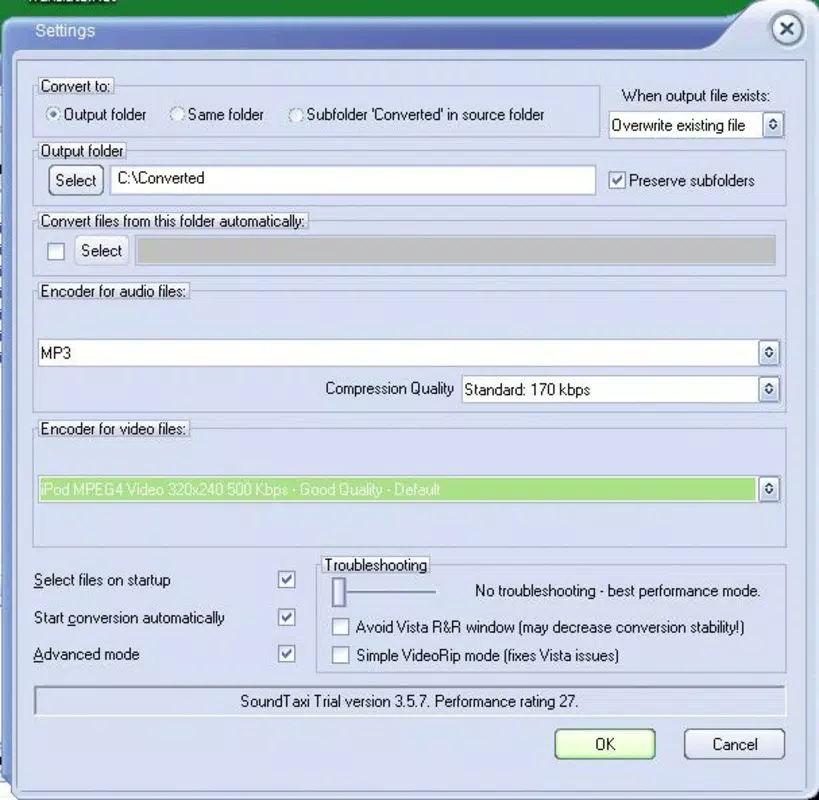
- Customizable Settings: Users can adjust individual file settings such as output format, bit rate, and sample rate. This level of control is ideal for users who require precise audio quality specifications for different use cases, such as podcasting, music production, or personal archiving.
- Fast Conversion Speed: Designed for efficiency, SoundTaxi processes files quickly without sacrificing audio fidelity. This is especially beneficial when handling large libraries or multiple files simultaneously, reducing the time required for complete conversion tasks.
For example, a user with a collection of WMA files purchased from a legacy music service can use SoundTaxi to convert them to MP3 for playback on a smartphone or smart speaker. Similarly, someone preparing audio for a presentation might use the customizable settings to optimize file size and quality for efficient sharing.
Interface, UX & Performance
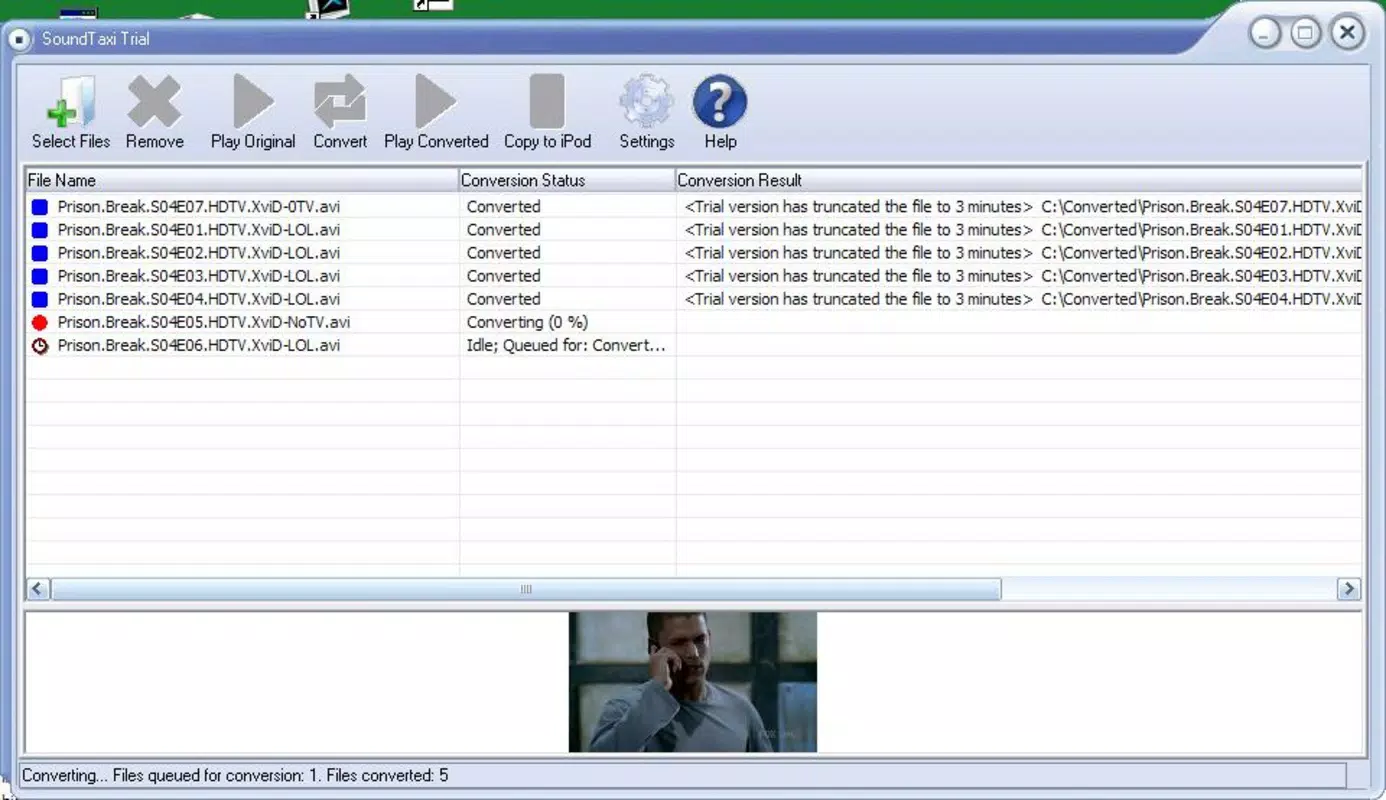
SoundTaxi features a clean, straightforward interface that prioritizes functionality over visual complexity. The layout is organized around a central file list, with clear buttons for adding files, starting conversion, and adjusting settings. Navigation is linear and predictable, minimizing user confusion during the conversion process.
The visual style is minimalistic, focusing on usability rather than decorative elements. This design choice enhances readability and reduces cognitive load, particularly during extended use. Users can easily monitor the progress of ongoing conversions through a status bar and log display.
Although the developer did not list formal performance metrics, the application is described as fast and efficient, suggesting stable operation across a range of Windows systems. The lightweight file size of 3.1 MB indicates low resource consumption, which contributes to smooth performance even on older or less powerful machines.
Responsiveness is consistent, with minimal lag during file addition and conversion initiation. Stability appears reliable based on the app’s long-standing availability since 2015, though no official updates have been released since that time. The lack of recent updates may raise concerns about long-term compatibility with newer Windows versions, but the app continues to function for users with existing installations.
Platform Compatibility & Technical Requirements
SoundTaxi is designed for the Windows operating system, making it compatible with a wide range of desktop and laptop computers running Windows environments. The current version is 3.0.1, released on June 10, 2015.
The application has a file size of 3.1 MB, indicating a lightweight footprint that requires minimal storage space. This small size contributes to quick installation and low system impact during operation.
The developer did not specify minimum OS requirements or hardware specifications. As such, compatibility with newer Windows versions (such as Windows 11) cannot be confirmed. Users should exercise caution when installing on updated systems, as older applications may encounter runtime issues or fail to launch due to changes in system architecture or security policies.
Additionally, the app is not available on mobile platforms such as Android or iOS. This limits its accessibility to users who prefer or rely on smartphones and tablets for media management.
Pros and Cons
Pros
- Effective DRM bypass for protected audio files
- Supports multiple audio formats including MP3, WMA, and AAC
- Simple, intuitive interface suitable for beginners
- Fast conversion speeds with minimal system resource usage
- Customizable output settings for quality and format control
Cons
- No recent updates since 2015, raising compatibility concerns
- Not available on mobile platforms (Android, iOS)
- Price of $29.95 may be considered high for a single-purpose tool
- Developer did not provide detailed system requirements
- Limited support for modern audio codecs and file types
FAQ
Is SoundTaxi safe to download and use?
SoundTaxi is a legitimate application developed for audio conversion. However, users should ensure they are converting files they have legal rights to, especially when bypassing DRM. The app itself does not contain malware, but caution is advised when downloading from third-party sources.
Can I use SoundTaxi on Windows 11?
The developer did not confirm compatibility with Windows 11. While some users may find it functional on newer systems, there is no guarantee of full stability or performance due to the app’s age and lack of updates.
Does SoundTaxi support mobile devices?
No, SoundTaxi is only available for Windows desktop systems. It is not compatible with Android or iOS devices.
Is there a free version of SoundTaxi?
SoundTaxi is a paid application with a price of $29.95. There is no official free version or trial period available.
How do I update SoundTaxi?
As of the current release, no updates have been issued since 2015. The developer has not announced any plans for future updates, so users are advised to use the latest available version (3.0.1) and monitor official channels for potential changes.
Final Thoughts
SoundTaxi remains a reliable option for users who need to convert DRM-protected audio files into standard formats. Its ability to bypass digital rights management, combined with fast processing and format flexibility, makes it a powerful tool for music management on Windows systems. While its age and lack of updates present potential compatibility risks, the app continues to deliver on its core promise for those with specific audio conversion needs.
It is most beneficial for individuals managing legacy music libraries, archiving purchased content, or preparing audio for devices that do not support protected formats. Despite its high price point and limited availability, SoundTaxi offers a focused, efficient solution in a niche market.
For users seeking a secure, effective audio converter with DRM bypass capabilities, SoundTaxi delivers value—especially for those already using Windows and requiring a one-time conversion tool.
Download SoundTaxi now


